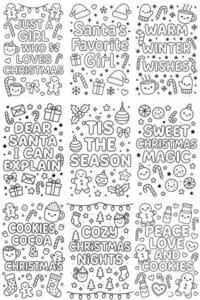
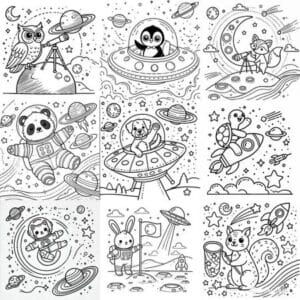
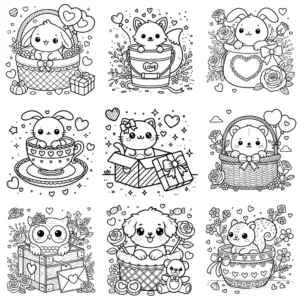
Selling coloring books on Etsy can be a profitable and creative side hustle. However, one of the most important steps before uploading your product is formatting it correctly. A well-formatted coloring book not only looks professional but also ensures that your buyers can print and enjoy it without any issues.
In this guide, I’ll walk you step-by-step through the process of formatting your coloring book for Etsy, from page setup to the final PDF.
1. Choose Your Book Size
The most common coloring book sizes are:
- 8.5 x 11 in (standard letter, popular in the US)
- 8 x 10 in (slightly smaller, great for children’s coloring books)
- 8.5 x 8.5 in (square format, very trendy for kids and modern activity books)
- A4 (210 x 297 mm) (standard international size)
👉 Tip: Stick to standard sizes to make printing easier for your buyers.
2. Set Up Your Pages
When creating your designs in Canva, Photoshop, Procreate or any other tool, make sure:
- The canvas dimensions match your chosen book size.
- All illustrations have clean borders (no cut-off edges).
- Images are high resolution (at least 300 DPI) for crisp printing.
3. Use Black and White Line Art
For coloring books, simplicity is key.
- Convert your designs into clean black outlines.
- Avoid grayscale or shading (they don’t print well for coloring).
- Keep lines bold enough for kids but detailed enough for adults if you’re targeting both.
4. Mind the Margins
Leave at least 0.25–0.5 in margins on all sides. This prevents important parts of the design from being cut off when printed.
- For double-sided printing, consider leaving a wider inner margin (gutter).
- For single-page printables (most common on Etsy), just ensure safe margins.
5. Add Page Numbers (Optional)
Not all coloring books need page numbers, but they can:
- Help parents and teachers organize pages.
- Make the product look more professional.
If you add them, keep numbers subtle at the bottom corners.
6. Create a Cover Page
A good coloring book includes at least:
- Title Page with the book’s name and theme.
- Copyright/Usage Page (important for Etsy sellers – clarify if buyers can only use it for personal use).
7. Export as PDF
Etsy buyers expect a downloadable PDF.
- Export in high resolution (300 DPI).
- Use single-page PDF format (not spreads).
- Make sure file size is under Etsy’s 20 MB upload limit (you can compress if needed).
8. Test Before Uploading
Print a few pages yourself:
- Check margins.
- Make sure lines are clear and bold.
- Ensure no pixelation appears.
This final check ensures happy customers and fewer refund requests.
9. Write a Clear Etsy Listing
When uploading your coloring book:
- Use SEO keywords (e.g., “printable coloring book,” “kids activity,” “mindfulness coloring”).
- Show mockups of printed pages so buyers know what to expect.
- Add a clear note: “This is a digital download. No physical product will be shipped.”
Final Thoughts
Formatting your coloring book for Etsy doesn’t need to be complicated. With the right size, clean outlines, safe margins and a polished PDF, you’ll have a professional product ready to sell.
✨ Pro Tip: Start with smaller sets (10–20 pages) to test the market before creating full 50+ page books.
👉 Ready to explore? Discover my Coloring Book Prompt Collections and start creating your own books today.
🔗 Related Posts & Resources
- Best Coloring Book Prompts for AI Creators
- How to Sell Coloring Books on Etsy (with the Help of AI Prompts)
- AI Tools for Creating Coloring Pages
- Canva – Free Design Tool for Creators
- Etsy Seller Handbook – Official Guide